Plan and understand your training
Read recovery and readiness, plan the work, and compare what changed from one connected training record.
Work with
- Garmin
- COROS
- Hammerhead
- Strava
- Polar
- Suunto
- Wahoo

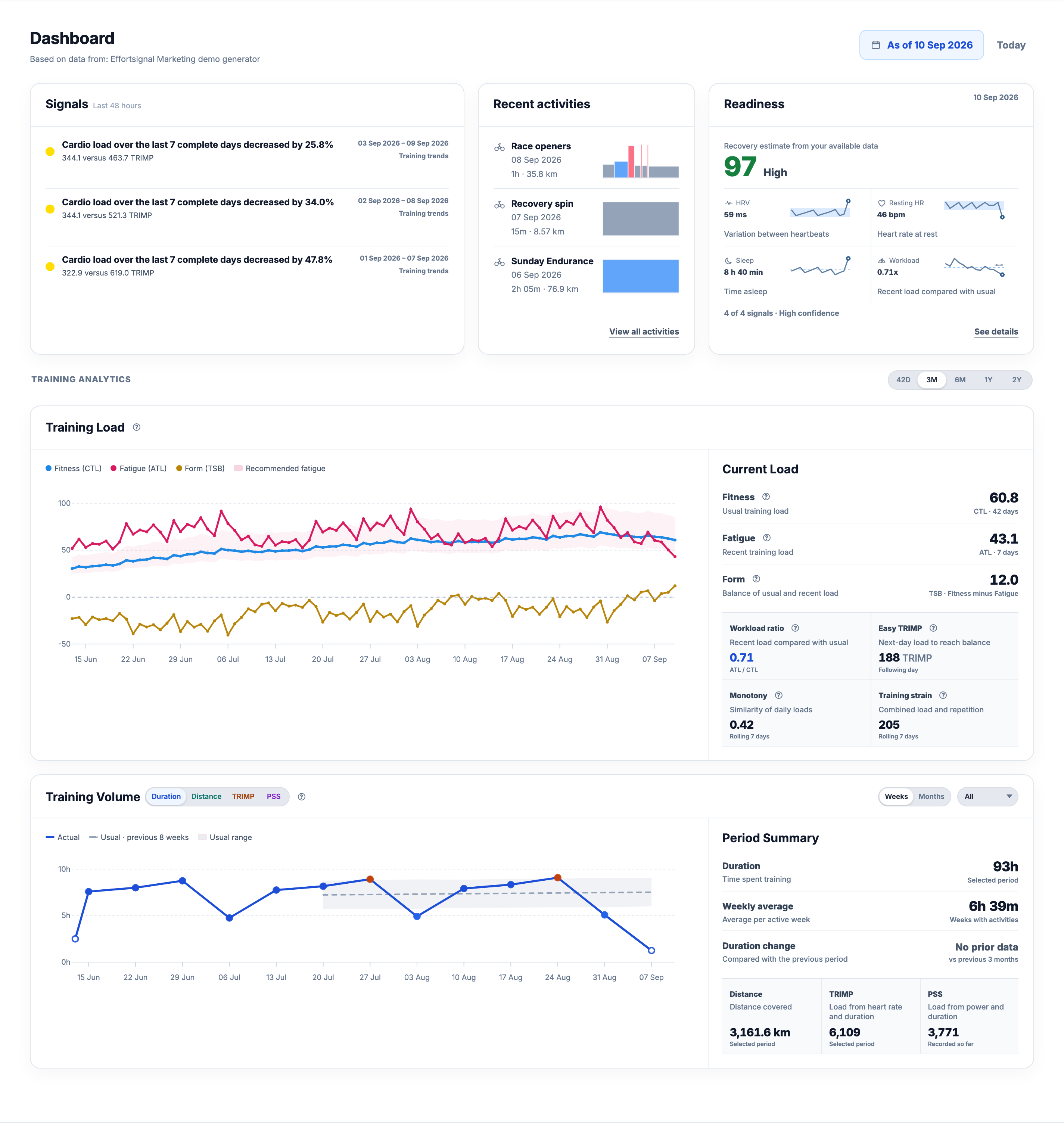
Training Trends
Start with how you are responding now, then place that response inside the load and volume that led to it.
Explore Training TrendsRecovery and readiness
Follow available sleep, HRV, resting heart rate and check-in evidence, or use the readiness view when your account has enough recent data.
Read moreUseful signals
See a small set of source-backed observations that call out meaningful changes without turning them into diagnoses or predictions.
Read moreTraining load and volume
Read fitness, fatigue and form beside weekly or monthly duration, TRIMP and PSS, with sport filters and your usual range.
Read more
Workout Analysis
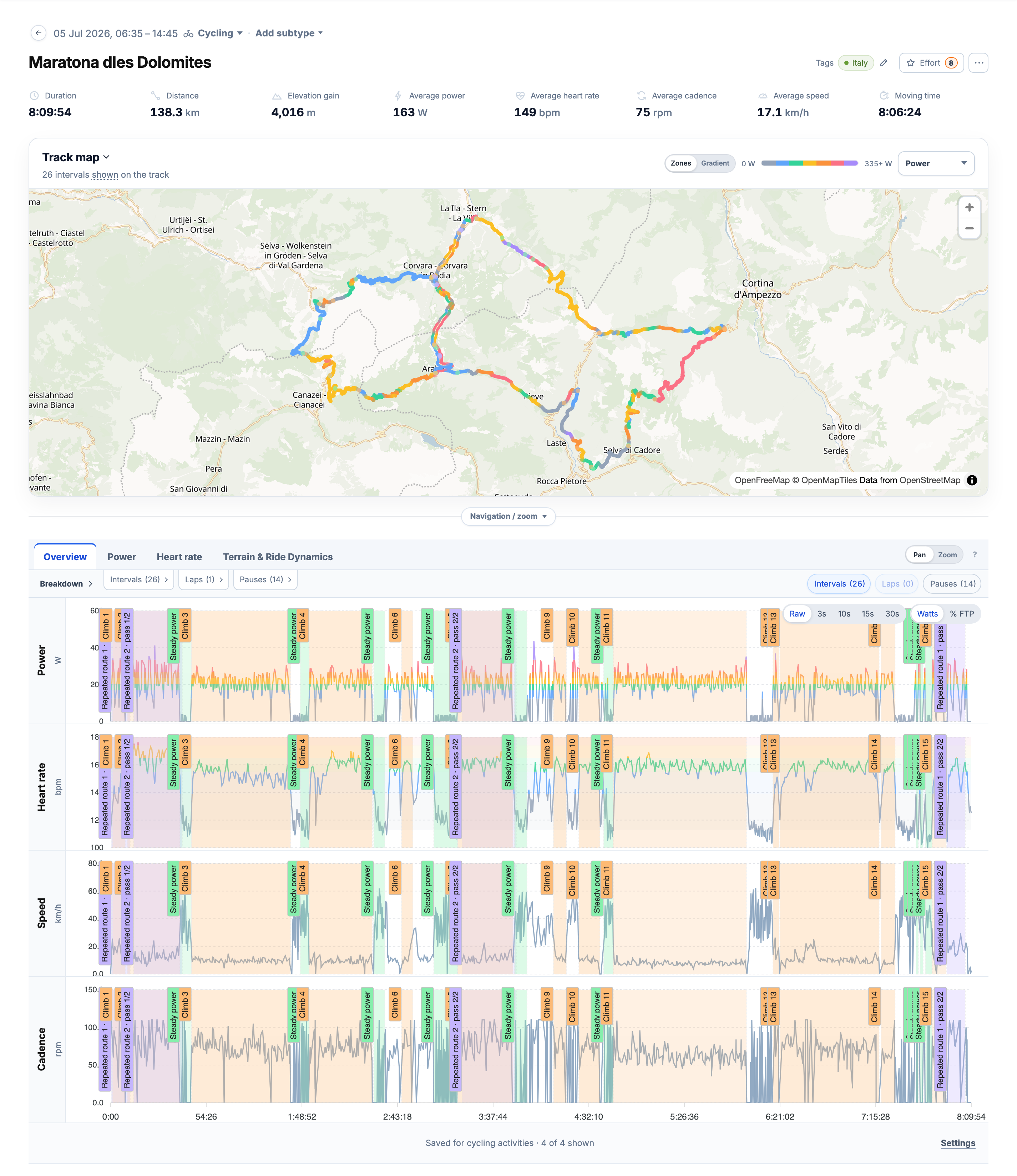
Look inside a ride or run to see how each effort unfolded, from aligned sensor charts to intervals and the route you followed.
Explore Workout AnalysisAligned sensor charts
Inspect power, heart rate, pace, cadence and elevation together, with the metrics available in your recording.
Read moreIntervals and efforts
Review recorded laps and detected efforts, select a range on the charts, and compare the metrics behind each interval.
Read moreRoute context
Connect the effort to the terrain with a synchronized route map when your activity includes a GPS track.
Read more
Training Calendar
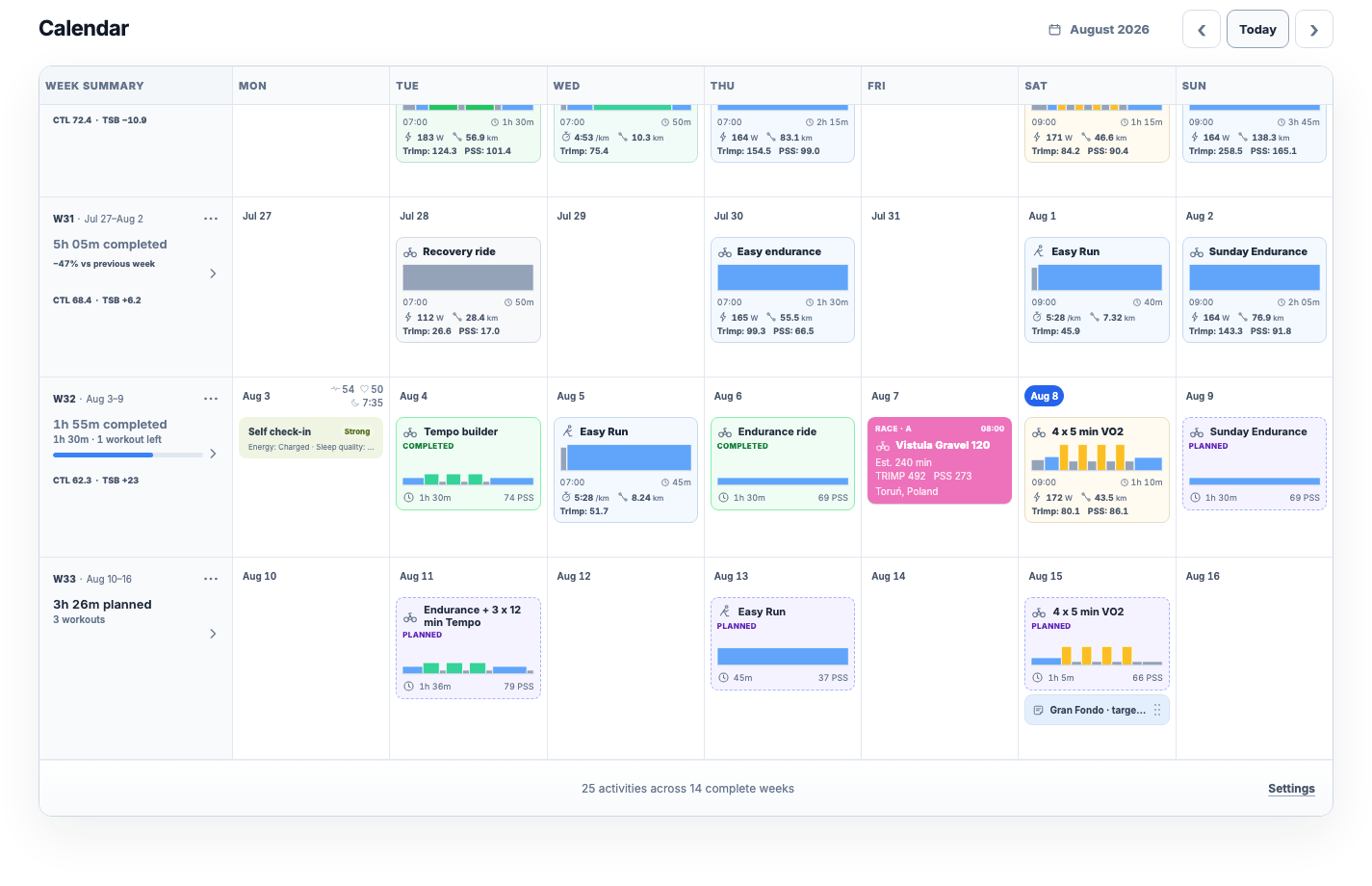
Planned workouts, completed activities and the context around them stay visible on the dates where they affect the week.
Explore Training CalendarPlan and move workouts
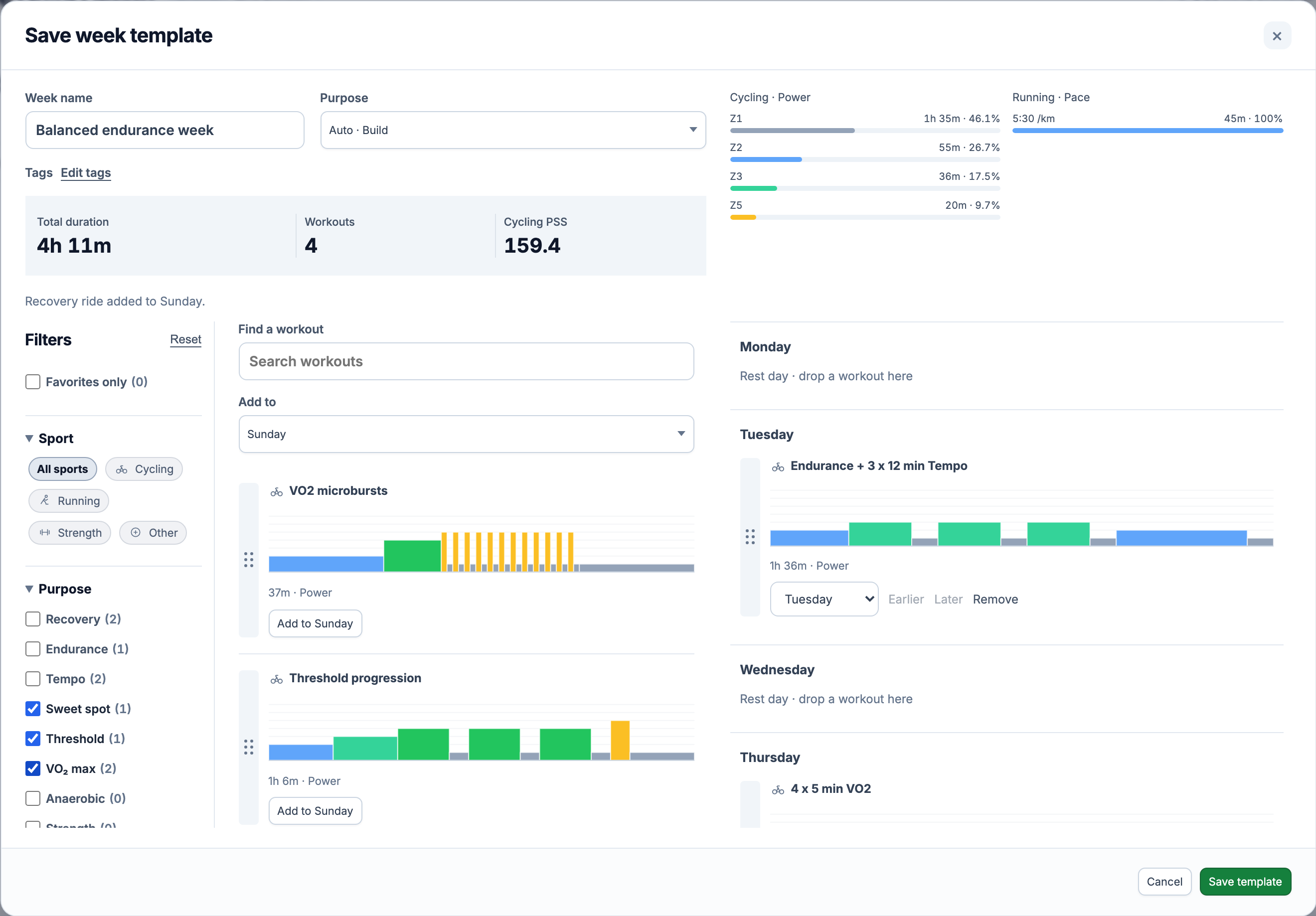
Add a workout to a day, move it as the week changes, copy or clear a plan, and reuse a saved week.
Read moreCheck-ins and notes
Record readiness, sleep, energy, body comfort, stress, mood, measurements, availability and free-form notes.
Read moreRaces, clubs and groups
Save race priority, event details, routes, logistics and estimated load. Upcoming routed events can store an automatically refreshed forecast, including temperature.
Read more
Progress
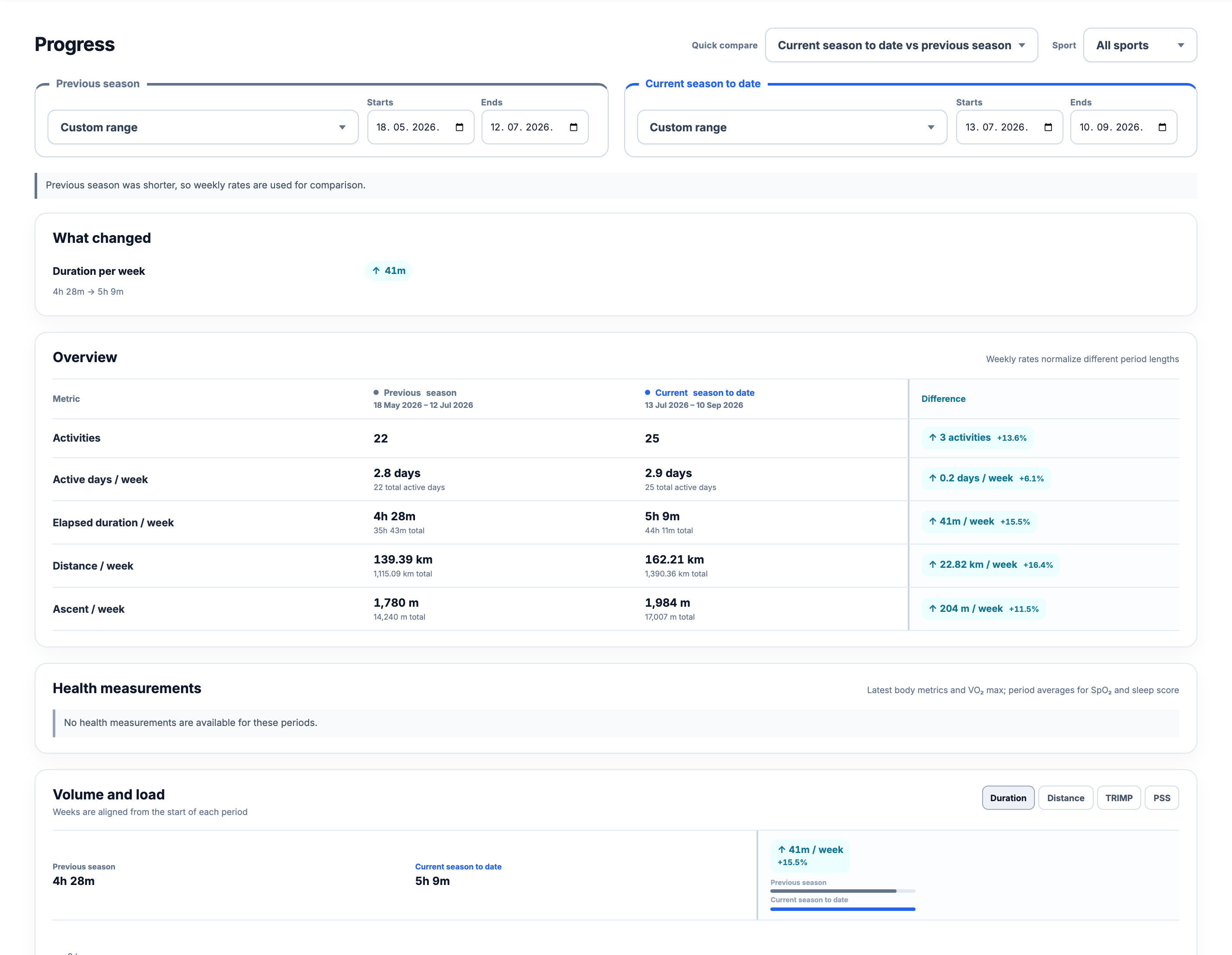
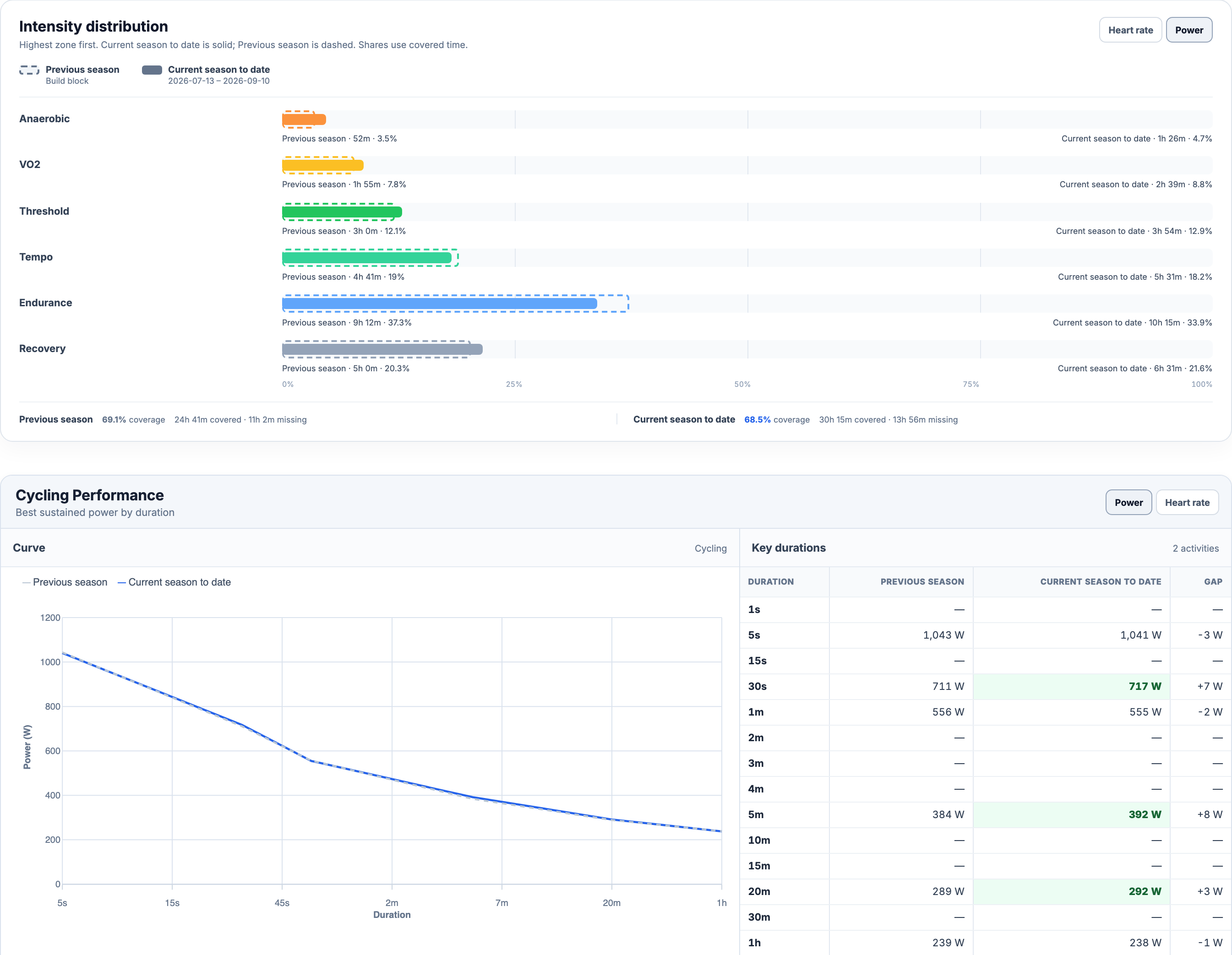
Put two training periods side by side and inspect the differences instead of relying on one headline score.
Explore ProgressFlexible comparisons
Compare recent weeks, year to date, custom date ranges, or saved seasons, then filter the report by sport.
What changed
Review activity frequency, weekly duration, distance, ascent, health measurements, load and intensity with coverage kept visible.
Performance evidence
Compare power, heart-rate or running-pace curves and inspect the underlying activities for either period.
Workout Planner
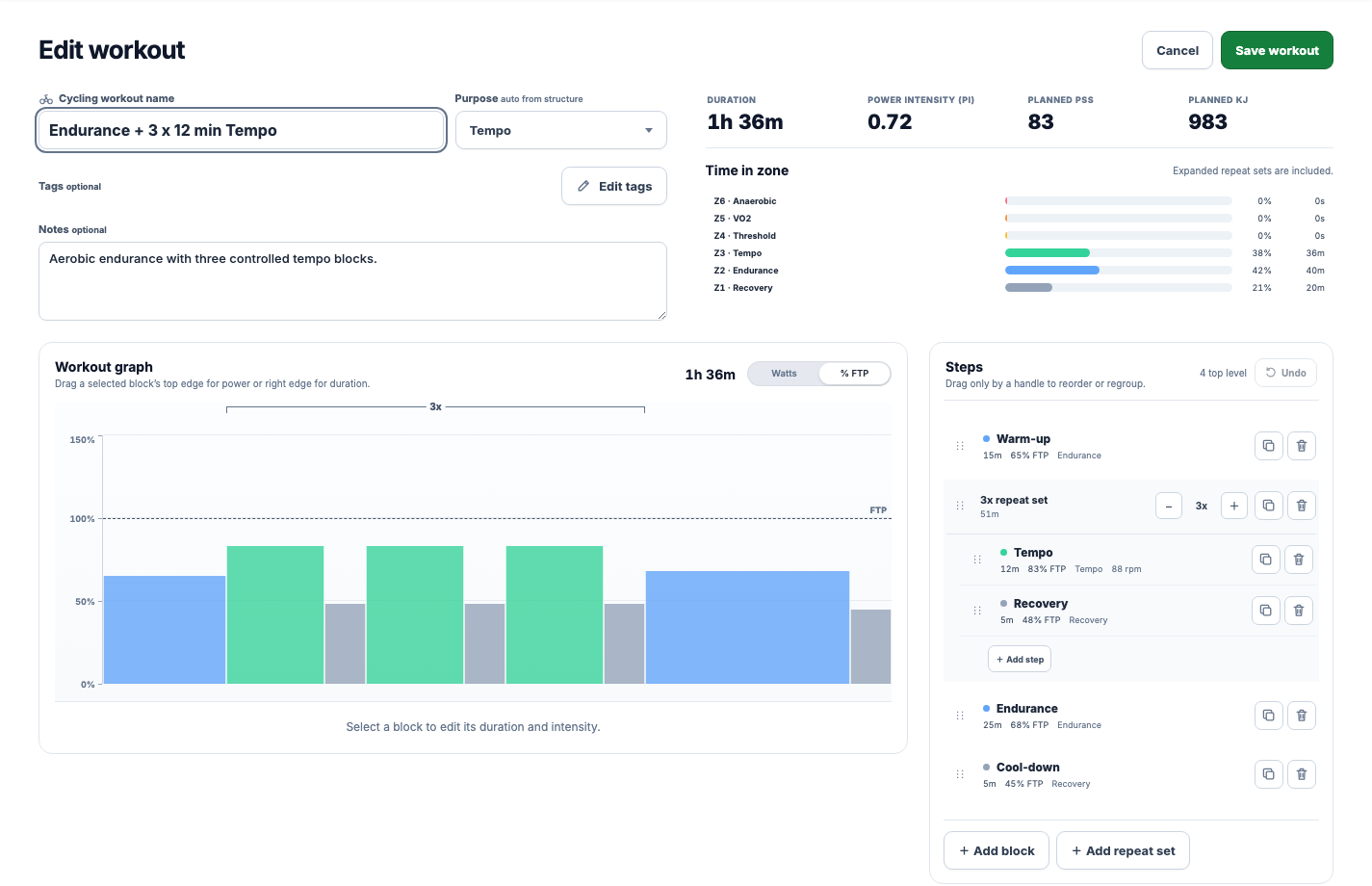
Shape a single structured session in detail, then assemble reusable weeks from the same workout library.
Explore Workout PlannerIndividual workout
Build warm-ups, work steps, recoveries and repeat sets with power, heart-rate, pace or RPE targets.
Training week
Add or drag workouts across seven days while totals and available intensity distributions update with the draft.
Workout Library
Save templates, create variants, add a week to Calendar, deliver supported workouts, or export FIT and ZWO files.
Start with your own training record
Create an account, connect a supported provider or import an activity, and keep planning from there.