Finish a ride, sync your bike computer and open the recording in EffortSignal. Prepare the next workout and send its steps to a compatible service. Device Sync connects these two parts of training: what you did and what you plan to do next. Each connection has its own direction, permissions and limits.
Start with the service that holds your recordings
In the web app, open the user menu → Account settings → Integrations. Choose an available provider, review access on its authorization page and return to EffortSignal. The provider details show the connection state and the controls available for that account.
Garmin and Wahoo support incoming activities and outgoing workout plans. Polar receives new activities from Polar Flow. Hammerhead supports activity import, routes and cycling workouts when its connection is available. COROS and Suunto currently show Coming soon for new connections; existing connected accounts retain their controls. Strava is listed as Not available yet. A name in the catalogue does not mean you can connect it today.
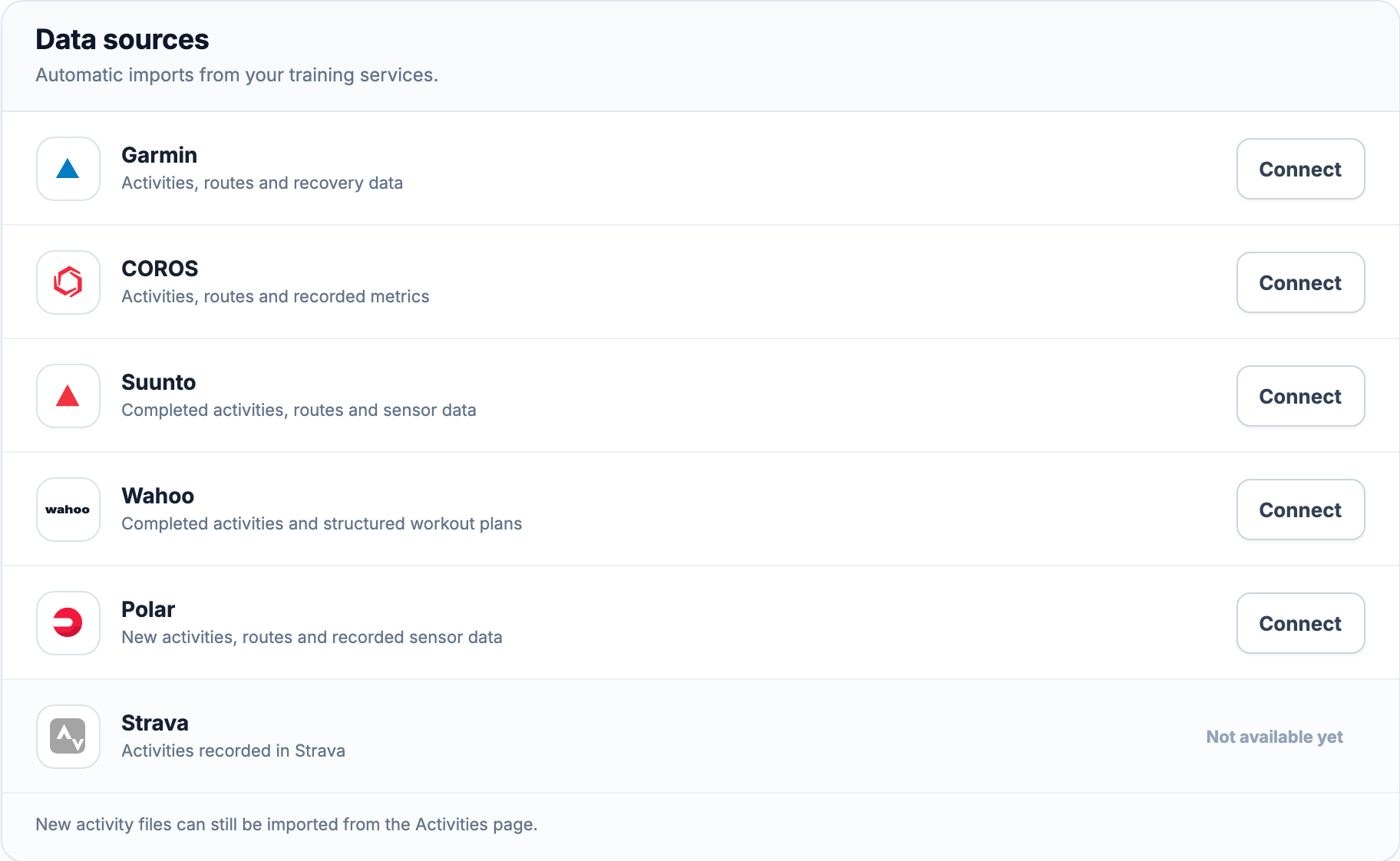
Choose what arrives in your account
Garmin has separate controls for activities, activity tracks, sleep, HRV and daily health data. Activity tracks include routes and recorded sensor streams, and require activity sync to be on. Other providers expose their own controls. Leave the data types you want enabled and review the permissions granted at the provider.
Garmin Integration: connection, sync controls and history limits
After import and processing, open the recording in Activity Library. A ride can include its route, power and heart rate if those data were recorded and supplied. The connection cannot fill a sensor gap or create a metric absent from the source. Available charts still depend on the sport and the data in that activity.
Send the next workout in the other direction
Build a session in Workout Planner, then choose an available Send action. Saving a template or placing it on the calendar does not send it. Garmin and Wahoo support cycling targets by power or heart rate, and running targets by pace, power or heart rate. The connection, permissions and target conversion must all support that workout. Hammerhead delivery is limited to cycling workouts that can be exported in a supported FIT or ZWO format.
Wahoo distinguishes a library plan from a dated workout. A template can be saved to Wahoo, then scheduled there for device sync. A calendar workout carries its date: today and the next six days are the device-sync window. A later workout waits until that window, and a workout dated in the past cannot be sent. Garmin also supports eligible library workouts.
Read the status at each step
Connected means the account connection is active. An import may still be processing. Sent means the training service accepted the workout; it does not confirm that your watch or bike computer has downloaded it. Sync the device through its service and check that the session appears before you start.
If access expires or is revoked, use Reconnect where offered. If an import or delivery fails, read its reported reason and retry when that action is available. Reconnecting restores access; it does not make an unsupported sport, target or device compatible.
Bring older recordings separately
New updates and historical import are separate capabilities. Historical Garmin activity import is temporarily unavailable: recordings from before the connection cannot currently be synced through that history flow. Polar supplies exercises uploaded to Flow after connection, without earlier Flow history. For other providers, check the history options in their details before requesting an archive.
You can still upload a FIT activity file manually. For the other direction, export a supported workout as FIT or ZWO and transfer it through a compatible service. Import and Export explains the file options. A file preserves the data it contains; it does not bypass the receiving device’s format limits.
Use your connections on Free or Pro
Supported integrations, workout export and supported device delivery are included in Free and Pro. You need your own provider account and the required permissions. Before relying on a connection, check both the action available in EffortSignal and compatibility on the device that will receive the workout.
All Pro features are free through January 31, 2027. No credit card or automatic charges. After Early Access, keep using Free or choose Pro. See Free and Pro plans.