One aligned timeline
Read power, heart rate, speed, cadence, elevation and other recorded streams against the same elapsed-time axis, so a change in one signal stays connected to the rest of the workout.
Follow the workout from its summary into the streams and efforts that explain the result. Metrics remain explicitly unavailable when the recording does not contain enough sensor evidence.
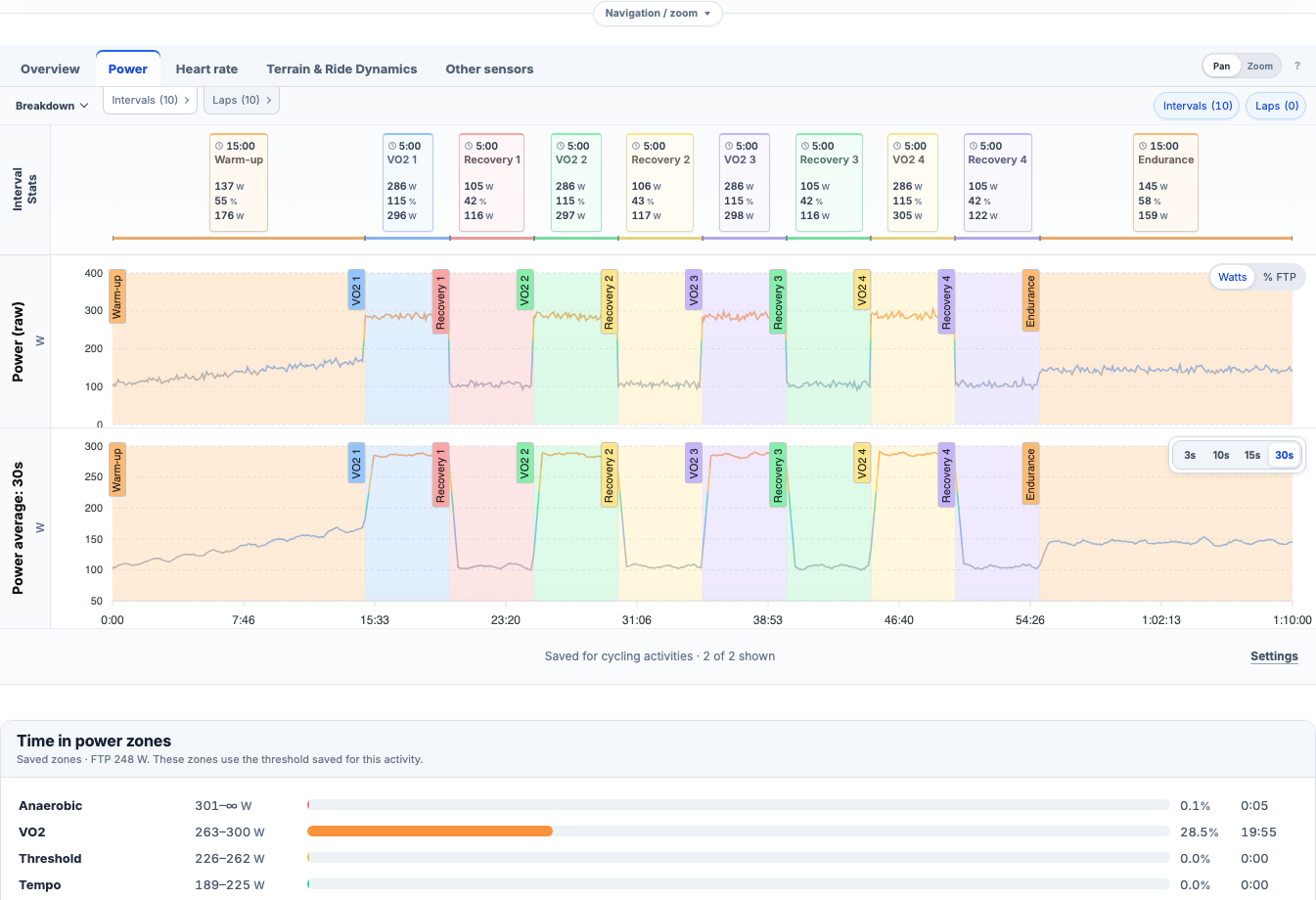
Read power, heart rate, speed, cadence, elevation and other recorded streams against the same elapsed-time axis, so a change in one signal stays connected to the rest of the workout.
Inspect source laps and automatically detected work and recovery efforts. Compare the duration, output and response of each block without losing where it happened.
Use weighted power, intensity, zones, best efforts, power and heart-rate curves, training load and threshold-relative context when the underlying recording supports them.
Review aerobic decoupling and Efficiency Factor alongside the map, elevation and grade. Availability stays explicit when duration, terrain or sensor coverage cannot support a metric.
Create an account, connect a supported provider or import an activity, and keep planning from there.