A work trip leaves 45 minutes for training. A holiday means a week without a schedule. Availability puts those limits in Calendar, so you can see when a planned workout no longer fits.
Start with the days you have
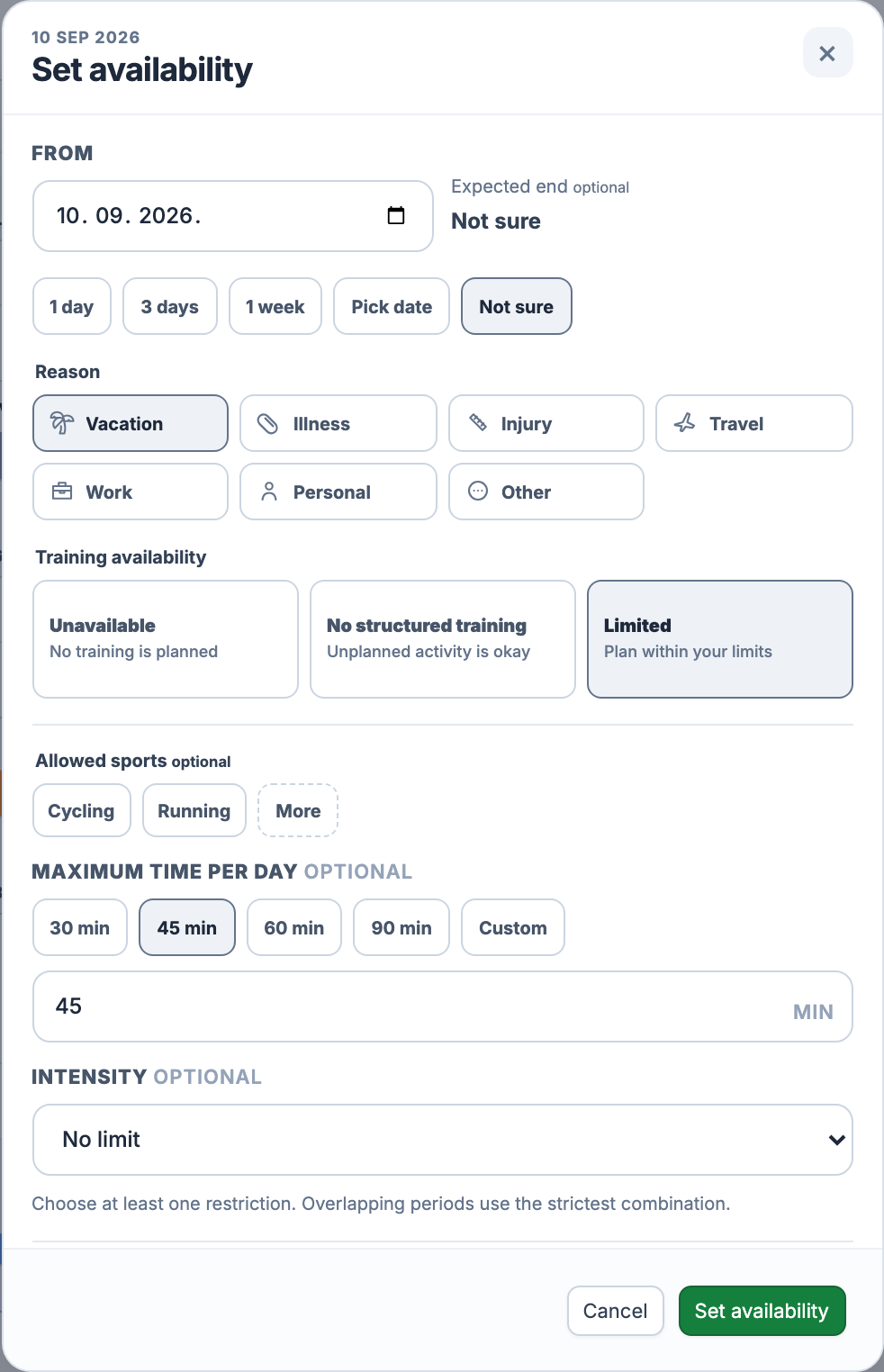
Open the add menu on a date in Calendar and choose Set availability. Pick a reason: vacation, illness, injury, travel, work, personal commitments or other. The reason explains the period; the training mode sets its rules.
Choose one day, three days, one week or an end date. Both the first and last dates count: three days from Monday covers Monday through Wednesday. If you cannot name an end date yet, choose Not sure. The period stays open until you edit or end it.
Three ways to leave room
Unavailable marks days when you intend to do no training. No structured training leaves room for unplanned activity, such as a spontaneous ride on holiday. Both modes warn when you try to schedule a workout. Limited keeps planned training possible within the restrictions you choose.
45 minutes means the whole day
Limited needs at least one restriction: allowed sports, maximum time per day or intensity. You can combine them. For example, allow cycling, cap the day at 45 minutes and choose No high intensity. Leaving sports unselected means there is no sport restriction.
The time limit counts all planned workouts on that date together. Two 30-minute sessions total 60 minutes, so they exceed a 45-minute day even though each session fits on its own. The limit does not shorten the workouts automatically.
Intensity is checked against the zones in the planned workout: Recovery only flags work above Z2; No high intensity flags Z5 and above. If the workout has no readable zone targets, this check cannot establish an intensity conflict. Sport and duration limits still apply.
When two periods overlap
The strictest combination wins. A 45-minute limit and a 60-minute limit become 45 minutes. Allowed sports must be permitted by every active sport restriction; cycling-only and running-only periods leave no permitted sport in their overlap. Unavailable takes precedence over No structured training, which takes precedence over Limited.
A warning before the plan changes
Scheduling a workout, moving it to another day or applying a week template checks the resulting plan against availability. A conflict explains what does not fit: the day, sport, total duration or intensity. Cancel and adjust the plan, or explicitly accept the conflict using the action shown.
An override allows that placement; it does not remove the availability period or grant permission for every future workout. Calendar keeps existing plans in place until you change them. Completed activities remain in your history, including activity recorded during a blocked period.
Return on the day that works
Open the availability marker in Calendar to edit the period, extend it or end it early. For an early return, select the first day with the new availability. Choosing Thursday ends the old restriction on Wednesday; it does not remove the earlier days.
Choose Fully available to end this period, or Still limited to start a new Limited period with the restrictions you need. Other overlapping periods still apply. A brief Undo action lets you reverse the early finish; use Extend when you need more time instead.
Part of your Calendar
Availability and blocked days are included in Free and Pro in the web app. You set the dates and restrictions yourself. They provide planning context, not a medical assessment or an automatic return-to-training decision. Review the remaining week in Calendar when your circumstances change.
All Pro features are free through January 31, 2027. No credit card or automatic charges. After Early Access, keep using Free or choose Pro. See Free and Pro plans.