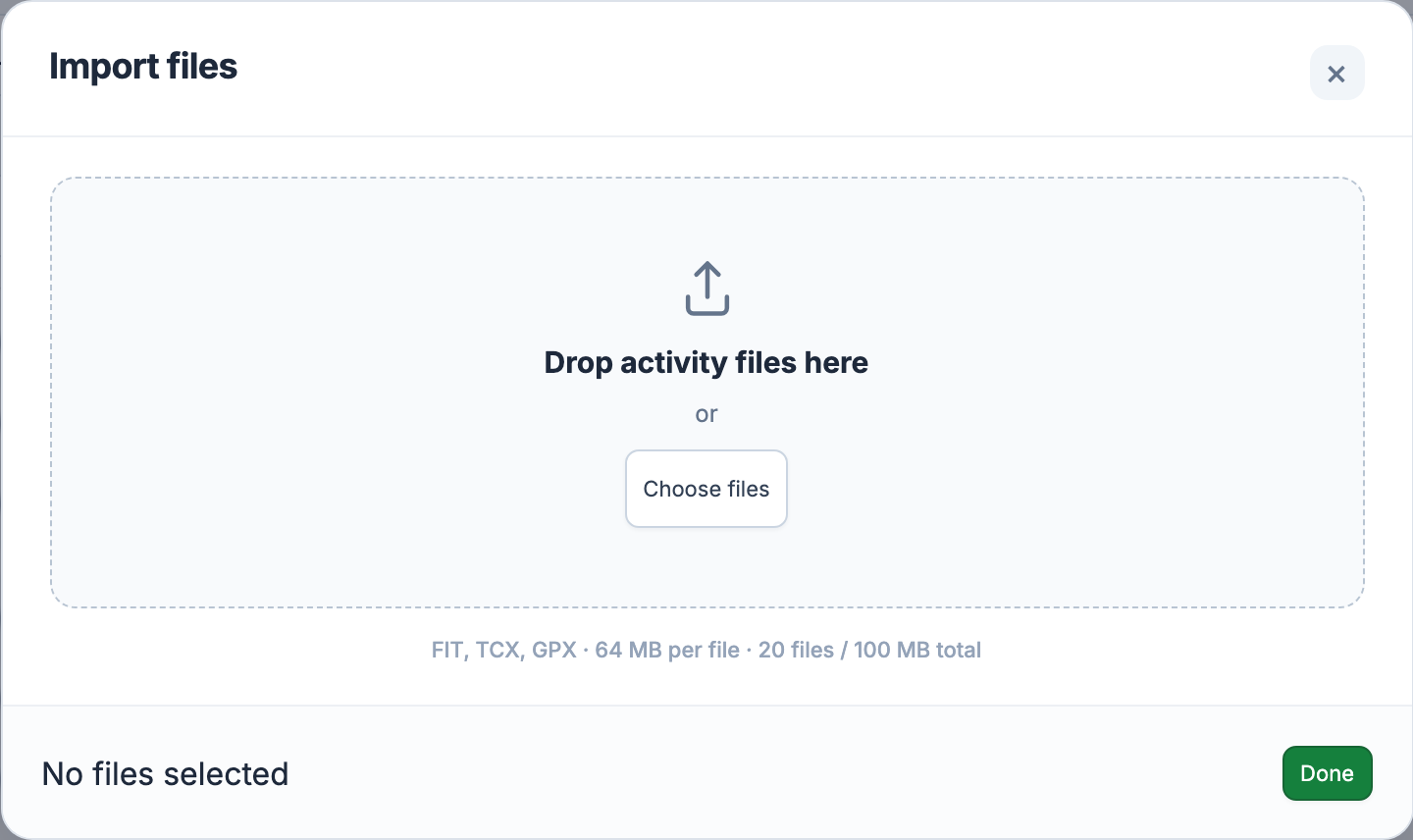
In the web app, open the user menu → Import file. Drop FIT, TCX or GPX activity files into the window, or use Choose files. You can select up to 20 files, with a limit of 64 MB per file and 100 MB for the whole selection. Empty files and unsupported formats are rejected before the batch starts.
Choosing or dropping a valid selection starts the import immediately. Files are processed one at a time, with a result beside each name. Done closes the window after the batch finishes; it is not an extra confirmation before upload.
Use a recording of a completed activity. A GPX import needs one track with usable timestamps; a planned route without times is not an activity recording. Power, heart rate and cadence are available only when the source contains them. A route can show where you went while leaving those measurements empty.
After the batch finishes, View opens a successfully imported activity. The recording may still need further analysis before every chart is ready. Check its processing status, then find it again in Activity Library. Importing the identical file again reuses the existing activity instead of adding another copy.
A failed file shows its reason while the remaining files continue. Correct the file or obtain a fresh export from the source, then select it again. Repeated uploads will not repair missing timestamps or sensor data. Keep your original files so you can return to the source if a transfer is incomplete.
For a one-off comparison, Compare to → FIT file keeps the uploaded recording out of your saved history. That temporary comparison is a separate Pro feature. Use ordinary import when you want to keep the activity in your account.
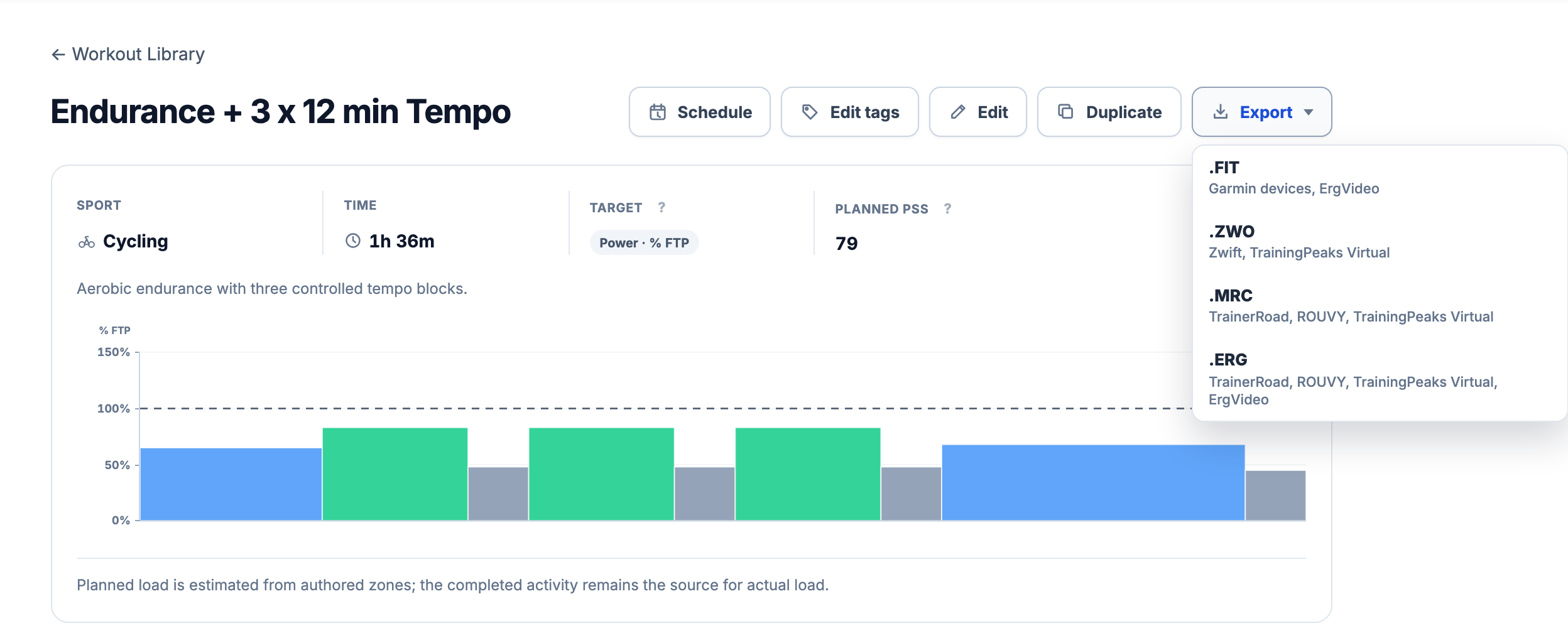
Open a saved workout from Workout Library or a scheduled workout from the calendar. In Export & Sync, choose a file format under Export. This downloads the session’s steps and targets. A FIT workout plan tells a device what to do; a FIT activity recording tells EffortSignal what you actually did.
FIT supports eligible cycling and running workouts with power, heart-rate or pace targets. A changing power gradient makes FIT export unavailable. Strength and perceived-effort targets do not become exportable just because the workout can be saved in the planner.
ZWO, MRC and ERG are for cycling power workouts. ZWO and MRC express power relative to FTP; ERG uses watts. All three preserve power gradients. ZWO has a limit of 250 expanded steps, so repeated blocks count once for each repetition.
Converting between watts and percentages needs a valid FTP. For example, 200 W becomes 80% with FTP 250 W. Without FTP, a workout already written in percentages can still use ZWO or MRC, and a workout written in watts can use ERG. Check Training Zones and Thresholds when a required conversion is unavailable.
Downloading a file leaves the transfer to you. Import it into a compatible app or follow your device’s file-transfer instructions, then check the workout before starting. Automatic delivery through a connected service is explained in Device Sync. A successful download alone does not confirm that a device has accepted the plan.
Progress offers Download CSV for its period comparison. Activity Comparison exports the comparison table with the selected columns. These files help you work with the displayed results elsewhere. They contain comparison evidence, not every original sensor sample or a complete archive of your account.
Manual FIT, TCX and GPX import and supported workout exports are included in Free and Pro. The same format, size and target restrictions apply to both plans. Choose the file for the job: a recording for your history, a workout plan for training, or a CSV for the comparison you are studying.
All Pro features are free through January 31, 2027. No credit card or automatic charges. After Early Access, keep using Free or choose Pro. [See Free and Pro plans](/pricing/).