# Zwift Workout Builder
Canonical HTML: https://effortsignal.com/features/zwift-workout-builder/
Last content update: 2026-09-30
Build your next Zwift session in EffortSignal. Shape the power profile, set work and recovery intervals, then download a ZWO file for import into Zwift. Your saved workout stays in EffortSignal, ready to edit, duplicate or schedule again.
Start with a cycling power workout
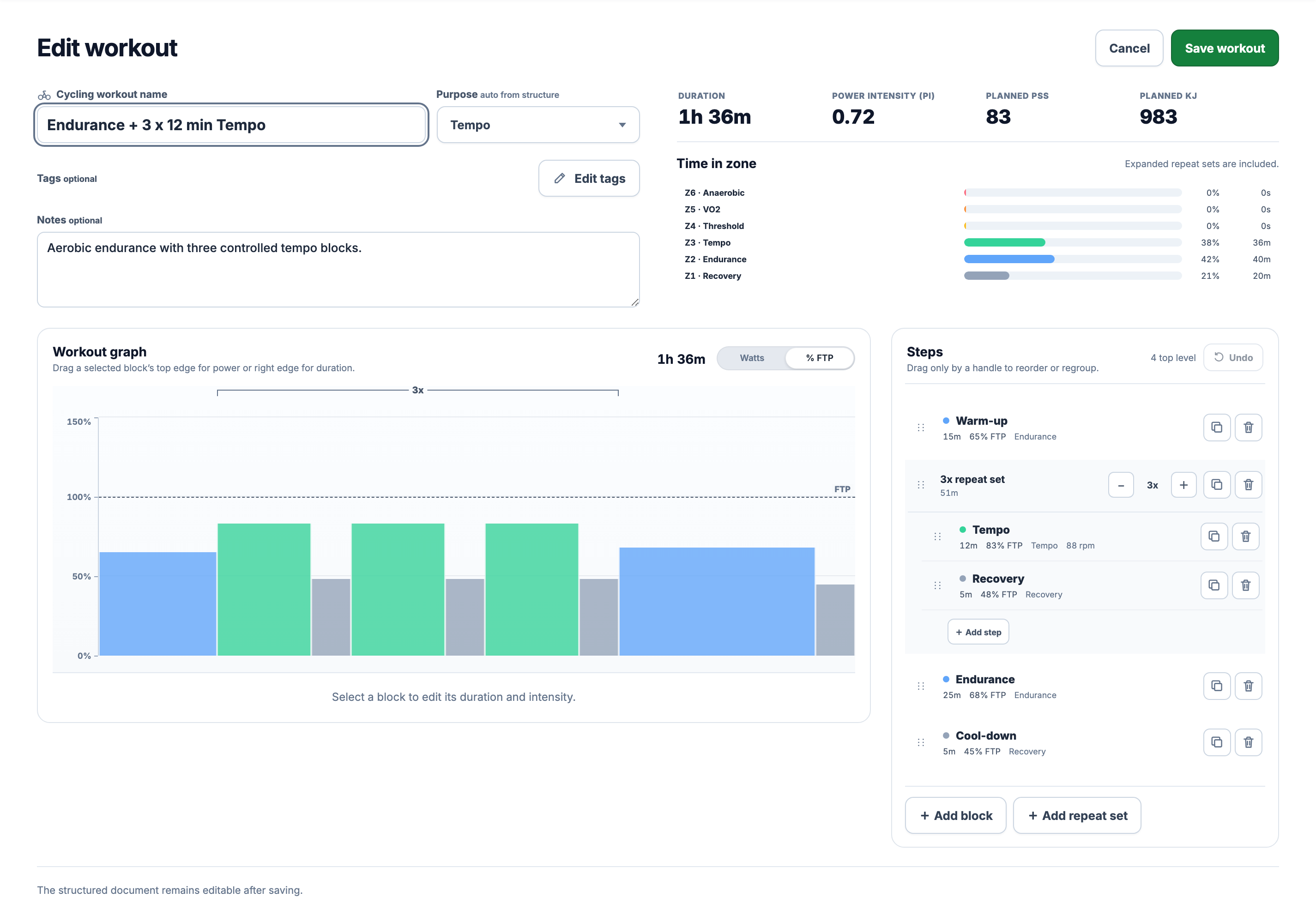
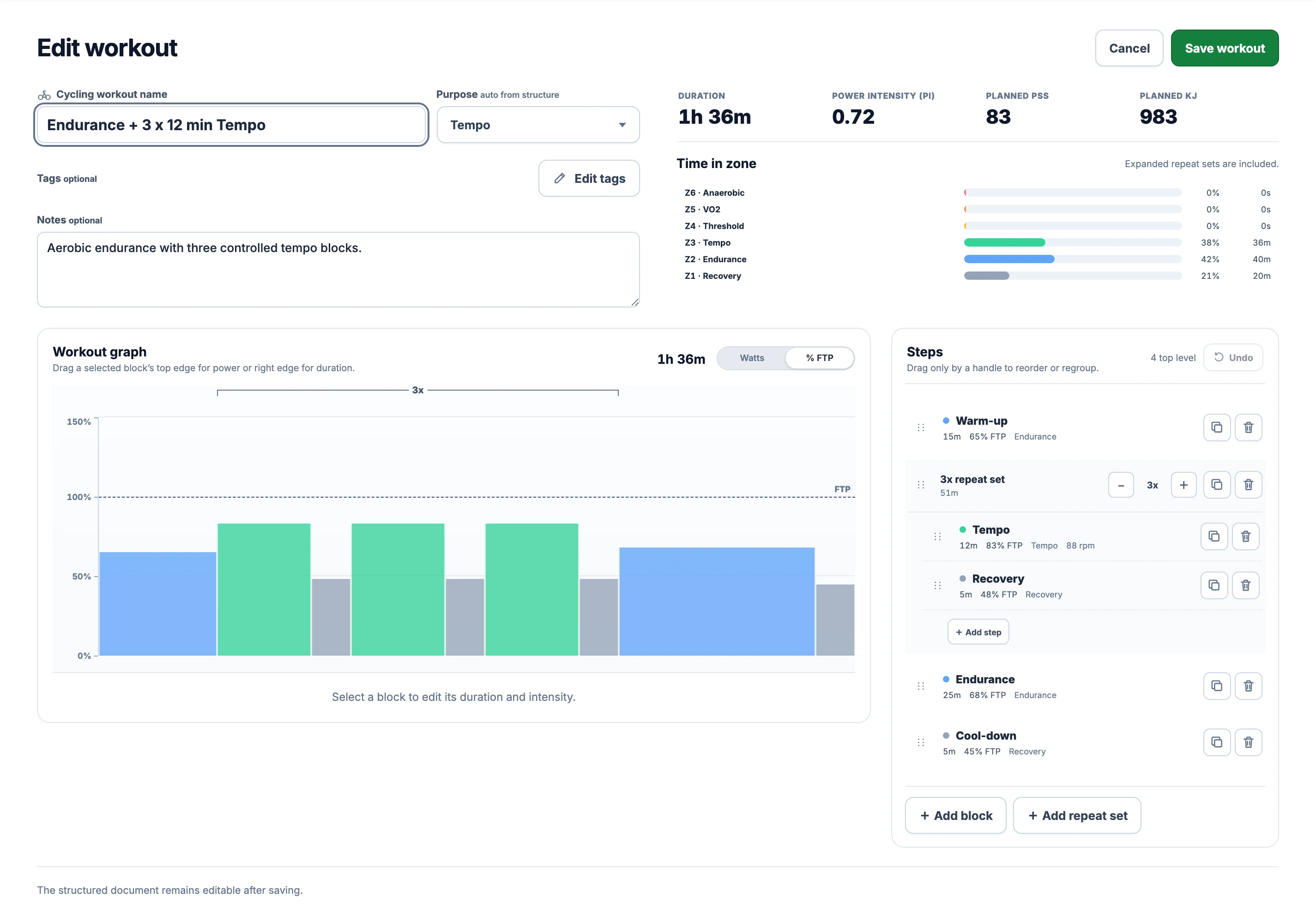
Open Workout Library in the web app and choose Create workout. Select Cycling and a power target, in % FTP or watts. Add your warm-up, work intervals, recovery and cool-down. The graph shows their order and duration as you edit.
[](/marketing/product/catalog-zwo-workout-desktop.png)
This demo session lasts 96 minutes. The three tempo efforts share one repeat set, so changing the work interval updates every round.Enlarge the workout structure
Drag a block’s right edge to change its duration or its top handle to change power. For exact values, select the block and use its numeric controls. Move steps with the handles in the Steps list. Undo and Redo let you try a change and return to the earlier draft.
Build the work and recovery together
Add a repeat set when the same effort and recovery occur several times. For example, three rounds of 12 minutes at 83% FTP followed by 5 minutes at 48% FTP make a 51-minute set. The recovery after the third effort is included. This is an editing example, not a prescribed training session.
Power blocks can have a steady target or a gradient with separate start and end values. A rising warm-up and falling cool-down remain ramps in the ZWO file. Optional cadence targets are included, and each step’s name becomes a text cue at its start. Repeat sets are expanded into individual steps in their riding order.
Keep FTP consistent between apps
ZWO stores power relative to FTP. A target of 80% becomes 200 W at an FTP of 250 W, or 224 W at 280 W. Check the FTP used in Zwift before starting, especially when you originally wrote the session in watts.
EffortSignal can export a workout authored in % FTP without an FTP value. A workout authored in watts needs a current FTP to convert those targets to percentages. The download records those percentages; a later FTP change can change the watts you ride at without changing the file.
Save the workout and download ZWO
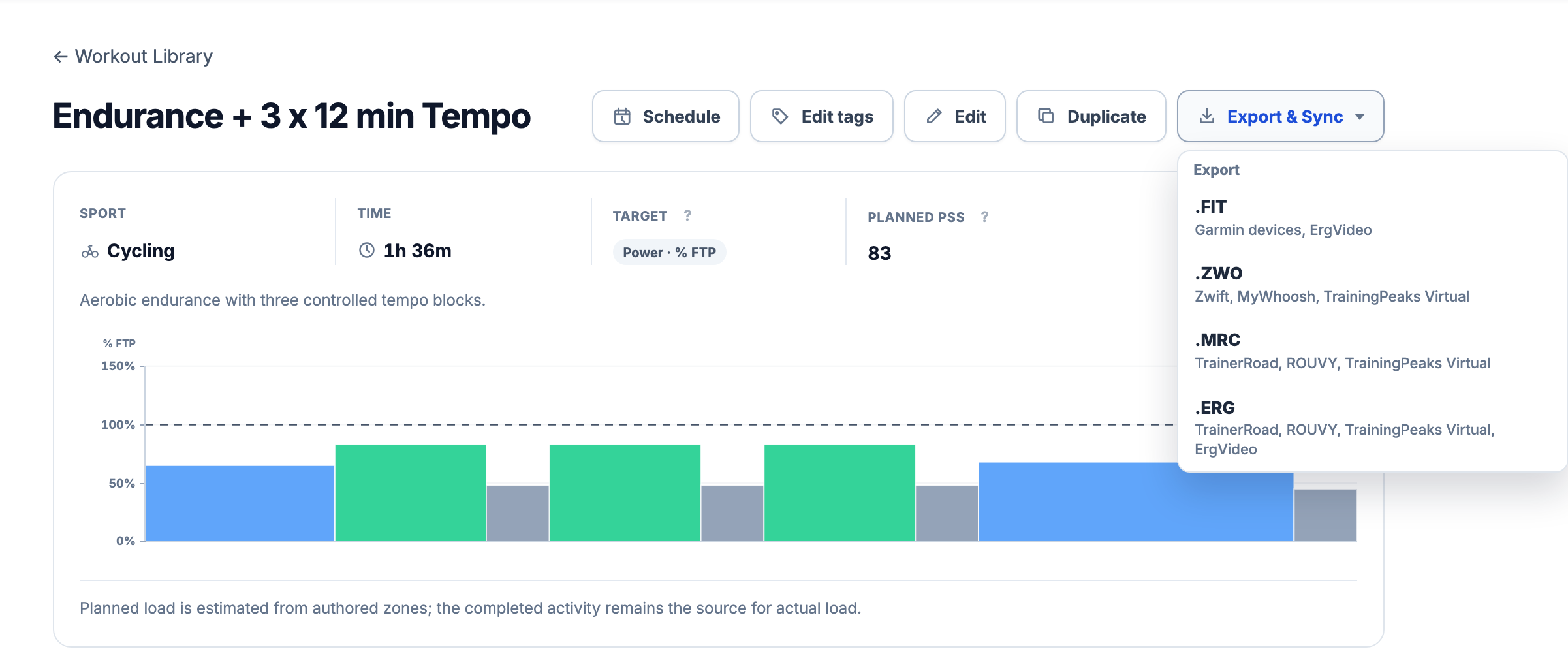
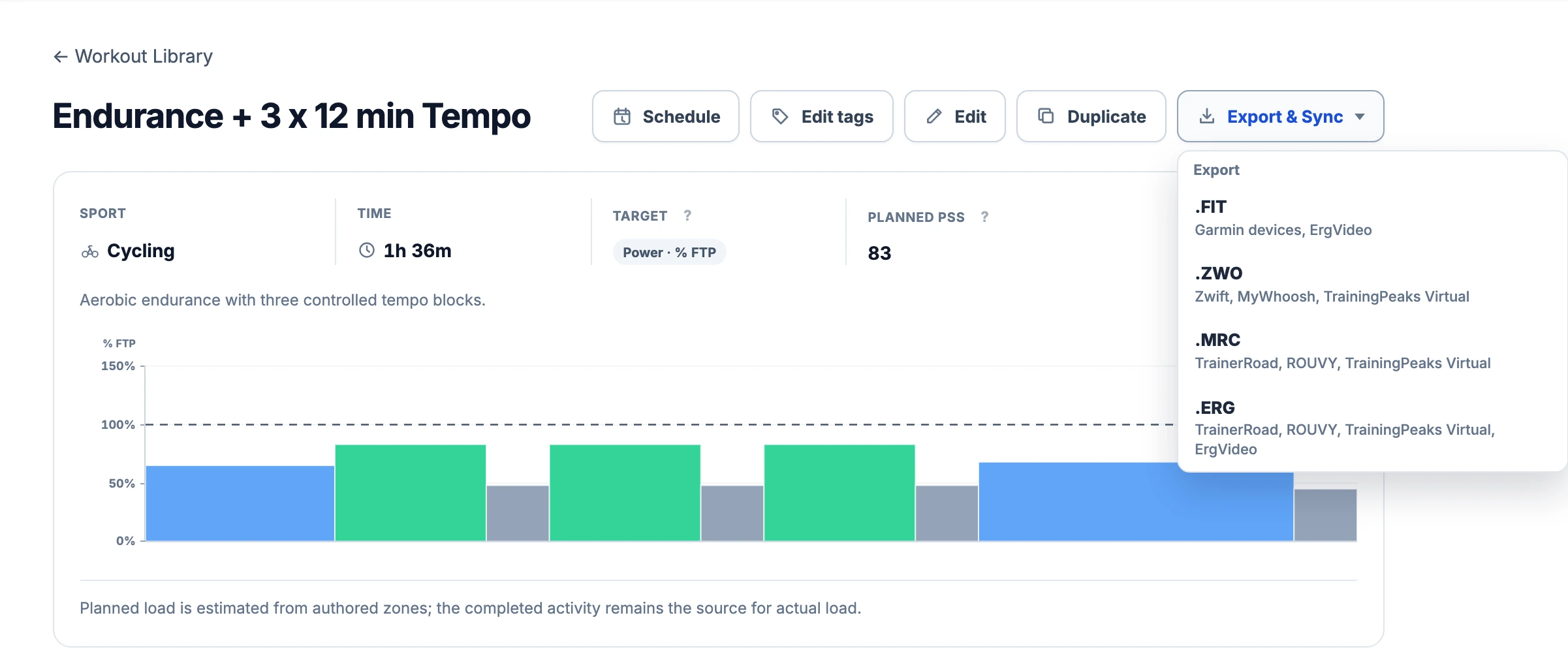
Choose Save workout, then open Export & Sync on the saved session and select .ZWO. The menu names Zwift and MyWhoosh among the compatible apps. Wait for the download before opening the file in another application.
[](/marketing/product/catalog-zwo-export-desktop.png)
The real export menu on a demo workout. ZWO downloads a file to your computer; it does not send the session to a Zwift account.Enlarge the ZWO export menu
The file contains the workout name and description, step durations, relative power targets, ramps and optional cadence. Tags, EffortSignal’s load estimates and your calendar history are not part of this transfer.
Import the file into Zwift
On Mac, copy the file into Documents → Zwift → Workouts → your numeric Zwift ID folder. On Windows, use the Zwift tray icon → Open Logs Folder, then navigate to Zwift → Workouts → your numeric ID folder. Restart Zwift and open Workouts → Custom.
[Zwift’s custom workout instructions](https://support.zwift.com/en_us/custom-workouts-ryGOTVEPs)
Before riding, check the imported name, total duration and power profile against your saved session. If you later edit it in EffortSignal, download and import the updated file. The two copies do not stay synchronized.
If ZWO is missing from the menu
This export supports cycling power workouts with no more than 250 expanded steps. Every occurrence inside a repeat set counts. A set of two steps repeated ten times uses 20 steps before any warm-up or cool-down.
Running, heart-rate and RPE workouts cannot use EffortSignal’s ZWO export. For a watts-based cycling session, check that an applicable FTP is available. A missing format usually means the current structure cannot be represented by that export; renaming a different file to .zwo will not convert it.
Keep a reusable version in your library
Duplicate the saved workout before making a separate variant, or schedule it in Training Calendar. A calendar entry keeps a snapshot of the session. Editing the library version later does not silently rewrite that dated plan, and scheduling does not transfer it to Zwift.
Workout building, the library and supported file export are included in Free and Pro. Riding the exported workout requires your own Zwift access and compatible equipment. EffortSignal is an independent planning tool; these screenshots show its web app with demo data.
More about planning and export
- [Workout Planner](/features/workout-planner/)
- [Workout Library](/features/workout-library/)
- [Training Zones and Thresholds](/features/training-zones/)
- [Import and Export](/features/import-export/)
- [MyWhoosh Workout Builder](/features/mywhoosh-workout-builder/)
All Pro features are free through January 31, 2027. No credit card or automatic charges. After Early Access, keep using Free or choose Pro. [See Free and Pro plans](/pricing/).